Context
- Role:
- Lead UX/UI Designer (UX Strategy, IA, UI)
- Timeline:
- 2024-2025
- Team:
- PM, UX, Devs (Thinklogic), CPI UX Lead & Marketing
CPI partnered with Thinklogic to replatform their website to Kontent.ai, integrate their PIM, and modernize the digital experience as part of a broader technical and structural transformation.
Early in the project, CPI identified the Series Page and product table as the most critical and high-converting area of the site. Starting there, applying a systems-level perspective across adjacent pages revealed broader opportunities to improve product education—allowing the scope to expand beyond the initial brief and address the customer journey more holistically.
Challenge
CPI’s website supported experienced, returning customers well, but new customers struggled to understand where to start, how product families related, or how to confidently evaluate options.
The project initially focused on the Series Page and product table, identified as the most critical and high-converting area of the site. While improving usability there, it became clear that comparison alone wasn’t enough—new users needed more context and guidance while making decisions.
This insight shifted the scope from optimizing a single table to embedding product education directly into the selection journey, influencing how adjacent pages were structured and connected.
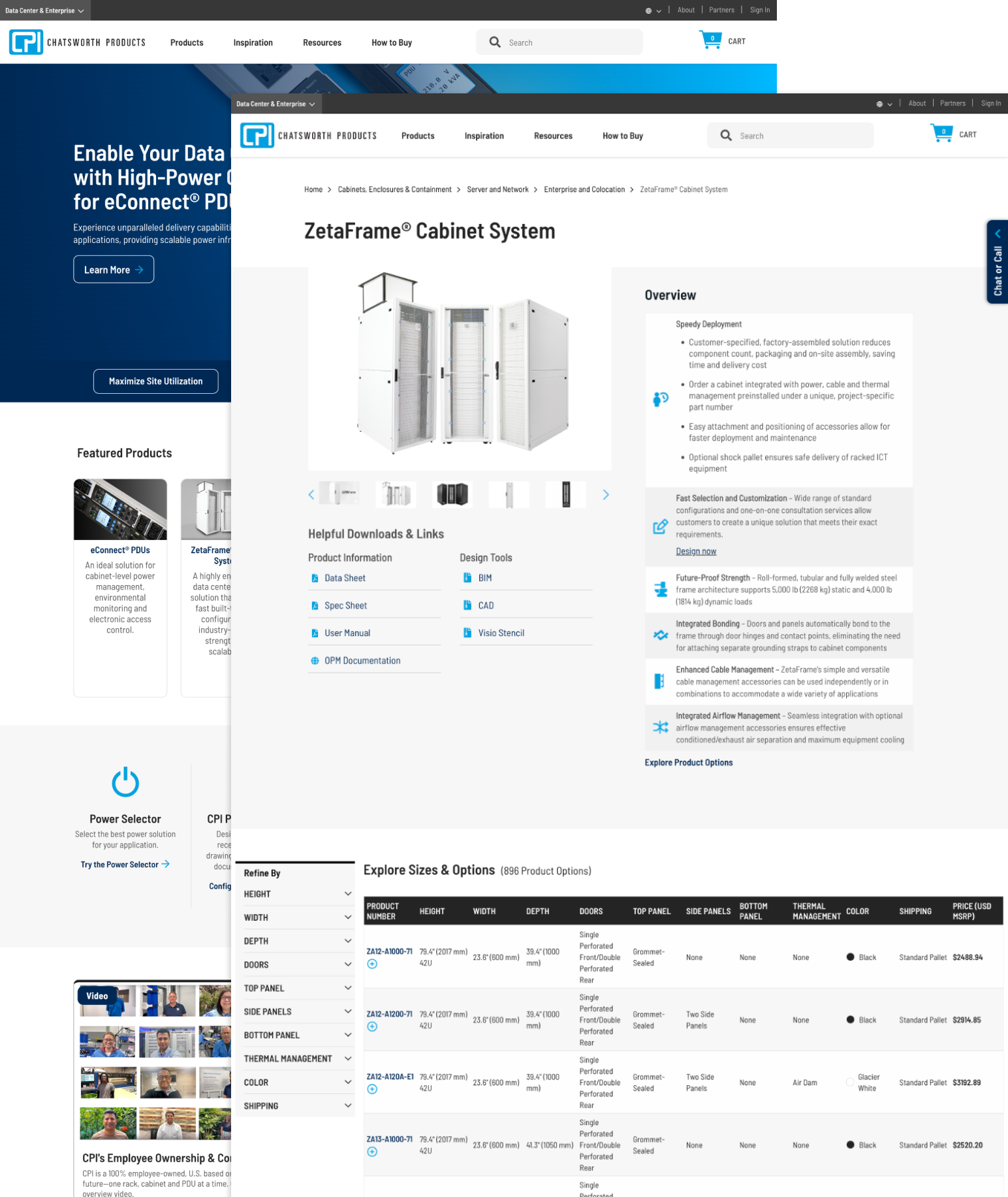
Before
Product tables were massive, wide, and cumbersome, requiring extensive scrolling and offering little guidance for first-time users.
Filters were separated from the table, taking up valuable real estate without meaningfully reducing complexity.
The experience assumed prior product knowledge, with limited in-context education or decision support for new customers.
Goal
Redesign CPI’s product education and exploration experience, starting with the Series Page and product table—the most critical conversion point—to help new customers understand, compare, and select products with confidence.
As the work evolved, this approach expanded across the product discovery journey to maintain clarity and education from entry through selection, while preserving efficient workflows for returning customers and enabling scalable content management for CPI’s internal teams.
- Discovery
- Wireframing
- Visual Design
- Development
Solution
Starting with the Series Page and product table, I redesigned the experience to support progressive decision-making instead of immediate, overwhelming comparison.
Key design decisions on the Series Page:
- Shifted from “show everything” to guided selection by using above-the-fold space to help users make a few key choices first and pre-filter the product table.
- Reframed the table as a result of decisions, reducing visible rows and cognitive load before users engage with detailed specifications.
- Added in-context education (Product Guide, interactive product exploration, required accessories, FAQs), allowing users to understand products while evaluating options.
As the redesign progressed, this education-first approach was applied across adjacent pages to ensure clarity and guidance carried consistently throughout the product discovery journey.
Scroll through
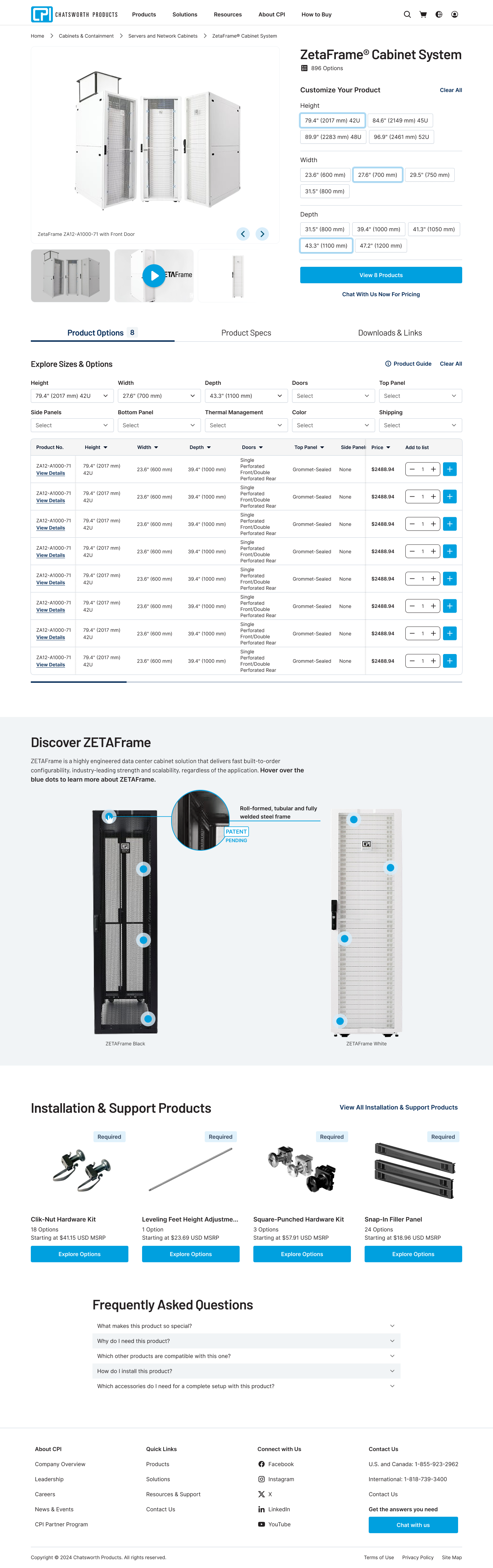
Below are selected screens from the redesigned product discovery flow, illustrating how education and decision support were applied across each step.
Education-First Entry Points
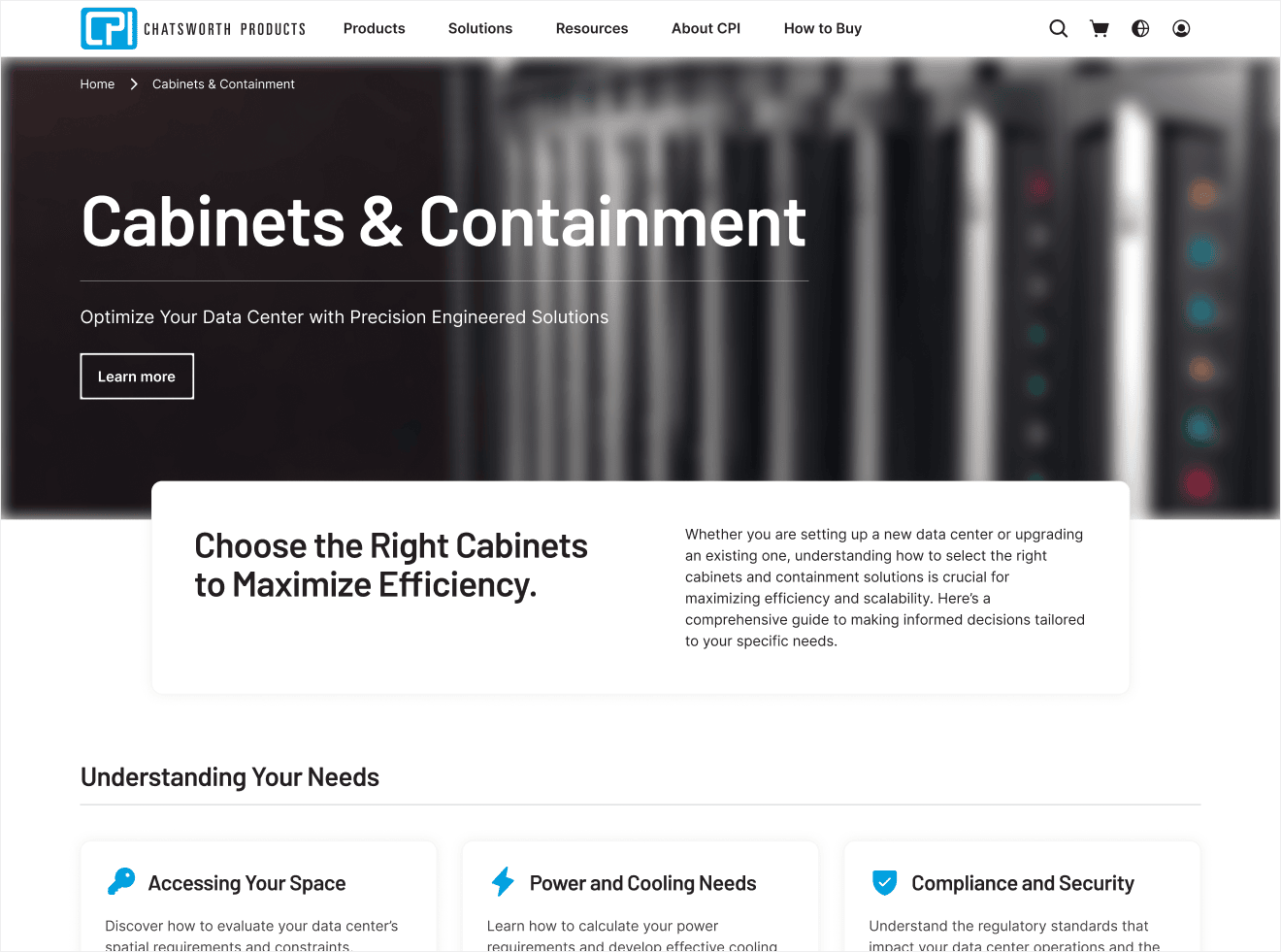
Category Page: Introduces use cases and context to help new customers understand where to start.
Progressive Comparison
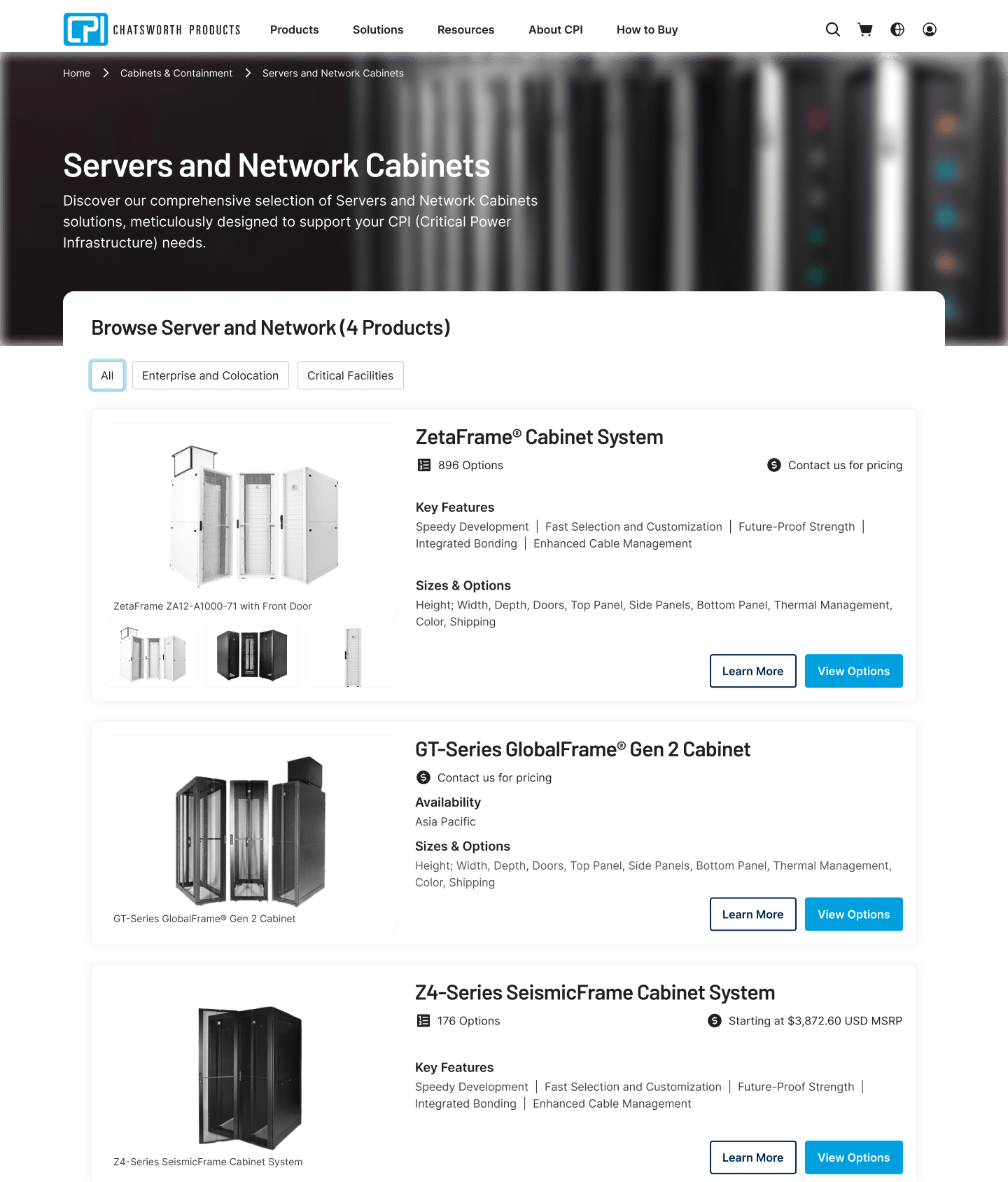
Series Group Page: Surfaces key differences between product families to support faster scanning and early comparison.
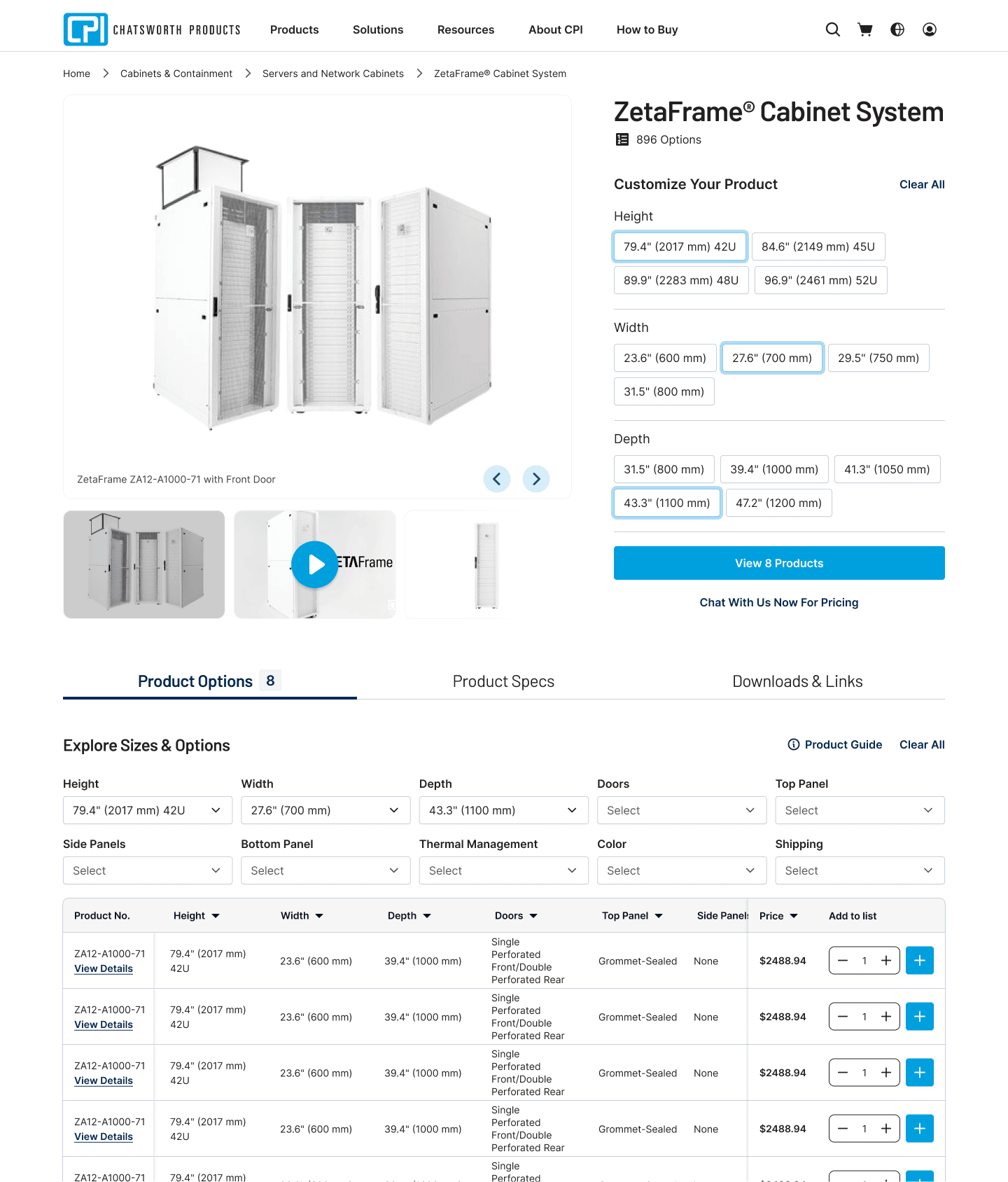
Series Page: Structures exploration with filters and tabs, allowing users to narrow options without being overwhelmed.
Decision Support at the Point of Choice
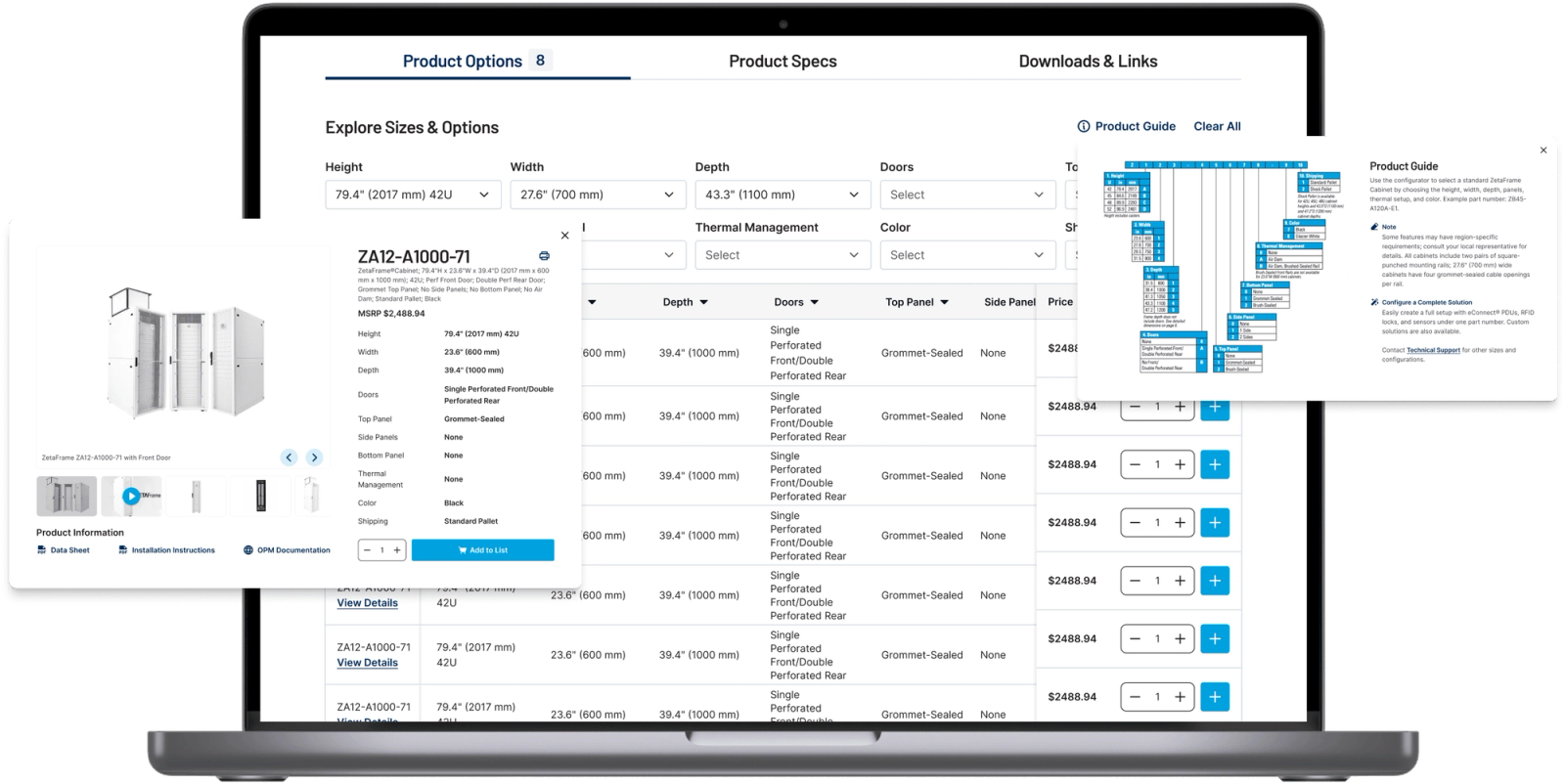
- SKU Quick View
- Enables detailed SKU exploration without forcing users to leave the comparison context.
- Product Table
- Restructures large product tables to make comparison easier and less overwhelming.
Expected Impact
Clear starting points for new customers
Back-and-forth navigation during comparison
Confidence when comparing complex product options
Content velocity through reusable CMS components
Deeper exploration of relevant product series
Ongoing developer effort for page updates
Scalable, Maintainable Structure
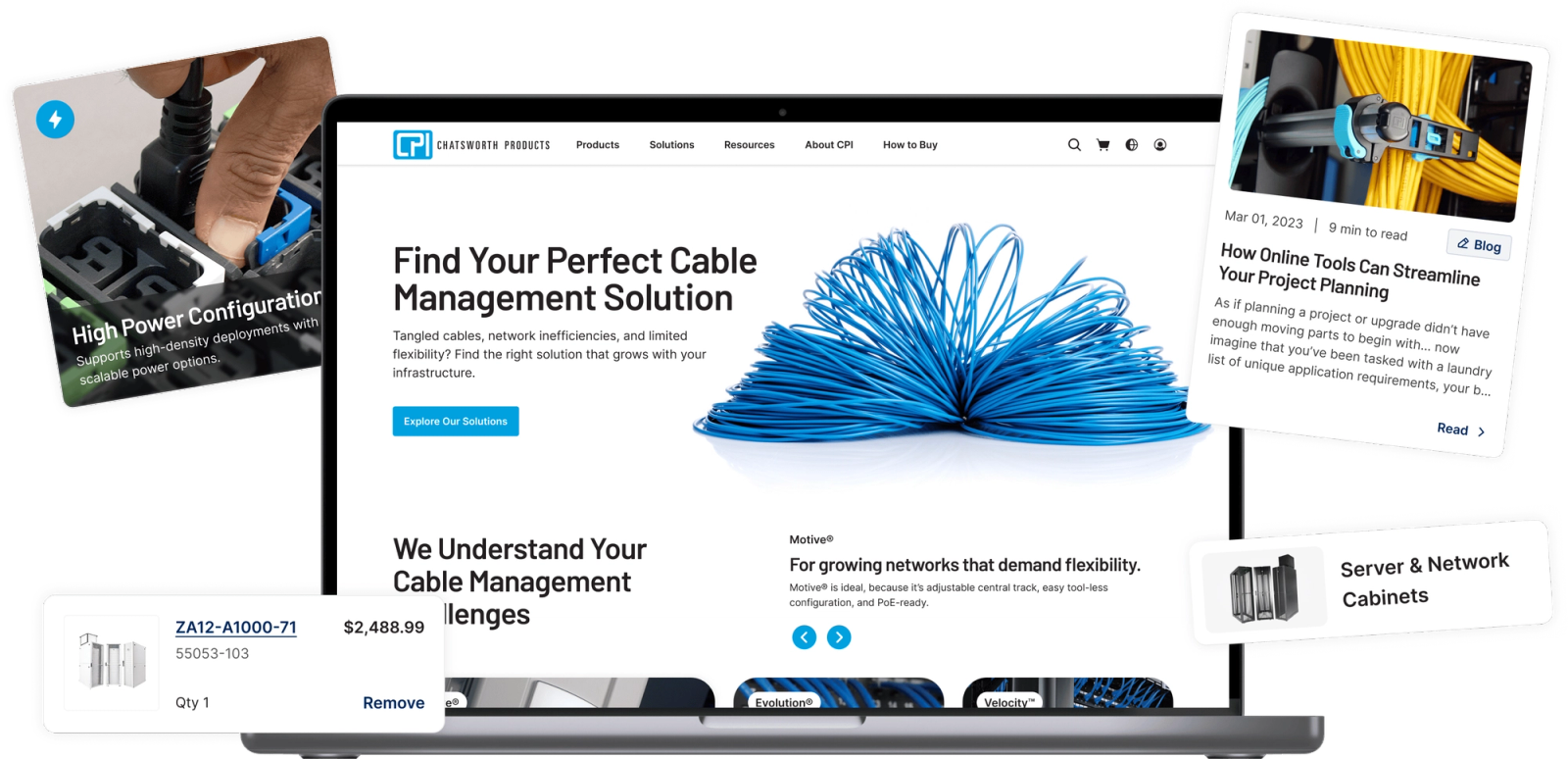
Built reusable CMS components enabling the content team to manage and evolve educational pages without developer involvement.
What I’ve Learned
CMS-driven component systems unlock both UX and operational value.
Designing reusable CMS components didn’t just improve consistency — it enabled CPI’s content team to move faster and reduced long-term developer dependency. This highlighted how UX decisions can directly support business operations and scalability, even beyond end-user interactions.